
AI-powered chatbots are automated conversational tools that use natural language processing and machine learning to interact with customers in real time. Unlike the rigid, script-based bots of the past, today’s chatbots can interpret intent, remember context from earlier in a conversation, and generate responses that feel more natural and human. For marketers and business owners, they represent one of the most scalable ways to deliver fast, consistent support across channels. But speed and scale mean nothing if the experience feels hollow, frustrating, or impersonal.
In this article, we’ll discuss how to deploy AI chatbots in a way that genuinely helps your customers rather than alienating them. We’ll cover what makes chatbot experiences go wrong, how to design conversations that feel human without pretending to be human, when and how to hand off to a live agent, and the metrics you should track to make sure your bot is actually improving the customer journey.
TL;DR Snapshot
AI chatbots can handle the majority of routine customer inquiries instantly and around the clock, but poor implementation turns a convenience into a source of frustration. The key is designing your chatbot as one part of a larger customer experience strategy, not as a replacement for human support. When done well, chatbots free your team to focus on complex, high-value interactions while giving customers faster answers to straightforward questions.
Key takeaways include…
- Transparency and clear escalation paths matter more than how “smart” your chatbot sounds. Customers are comfortable talking to bots when they know what the bot can and can’t do, and when reaching a human is easy.
- Your chatbot is only as good as the knowledge base behind it. Investing in high-quality training data, regular content audits, and feedback loops is what separates helpful bots from frustrating ones.
- The hybrid model wins. The best-performing customer service operations use AI to handle routine volume and human agents to handle everything that requires empathy, judgment, or creative problem-solving.
Who should read this: Marketers, customer experience leaders, entrepreneurs, and anyone responsible for customer support strategy.
Why Most Chatbots Fail (and Why Customers Hate Them)
Let’s start with the uncomfortable truth, a lot of customers don’t like chatbots. Research from SurveyMonkey found that only 8% of consumers actually prefer AI over a human agent for customer service, and a majority of people still believe human agents understand their needs better, provide more thorough explanations, and are less likely to cause frustration. A recent CNBC report highlighted that nearly one in five consumers who’ve used AI for customer service felt they got no benefit at all from the experience.
The problem isn’t the technology itself though, it’s how it gets deployed. Too many companies treat chatbots as a cost-cutting measure first and a customer experience tool second. When the primary goal is deflecting tickets rather than resolving issues, customers notice. They end up trapped in loops, unable to reach a human, and forced to repeat themselves when they finally do get through. According to a CX Network report, the most common chatbot pain points are the bot’s inability to answer questions and its failure to understand what the customer actually needs.
The lesson here is that if your chatbot exists primarily to keep customers away from your support team, it will backfire. Customers don’t mind talking to a bot, as long as the bot is actually helpful and there’s a clear exit ramp to a human when it’s not.
Design for Transparency and Trust
One of the most effective things you can do is be upfront about the fact that your customer is talking to a bot. Research from Zendesk found that 72% of consumers are comfortable interacting with AI chatbots when they know they’re talking to one. Trying to disguise your bot as a human creates the opposite effect however. Once the illusion breaks (and it will), trust erodes fast.
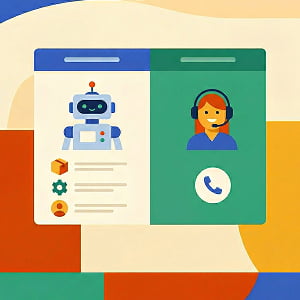
Here’s what transparency looks like in practice. Your chatbot’s welcome message should clearly identify itself as a bot, list the specific things it can help with, and tell the customer how to reach a human if they need one. Compare a vague greeting like “Hi! How can I help?” with something more specific: “Hi, I’m the [Brand] support bot. I can help with order tracking, returns, account questions, and troubleshooting. If you need to speak with a person, type ‘agent’ at any time.” The second version sets expectations, builds confidence, and gives the customer control.
Beyond the welcome message, design your bot to gracefully acknowledge its limits. When it doesn’t have an answer, it shouldn’t just apologize and dead-end. A well-designed fallback response offers a next step (e.g. connecting with a human, suggesting a relevant help article, or asking a clarifying question). Leaving the customer stranded with “I’m sorry, I can’t help with that” is one of the fastest ways to destroy a support experience.
Build a Knowledge Base That Actually Works
Your chatbot’s intelligence is directly tied to the quality of the information it draws from. Modern AI chatbots use retrieval-augmented generation (RAG) to pull answers from your specific documents, help articles, product data, and FAQs. If those sources are outdated, incomplete, or poorly organized, your bot will give bad answers, and bad answers are worse than no answer at all.
Start by compiling a list of the most common questions your support team actually receives. These aren’t the questions you think customers ask, they’re the ones your team logs and tracks every day. Use real ticket data. Then make sure your knowledge base has clear, accurate, up-to-date answers for each of those questions. This is the foundation.
From there, treat your knowledge base as a living document. Schedule regular audits (quarterly at minimum) to catch outdated information, and set up a feedback loop where your support team flags knowledge gaps they encounter. Every time your chatbot fails to answer a question, that’s valuable data. The best chatbot implementations use conversation logs and analytics to continuously identify what’s missing and fill in the gaps. Tools like Zendesk, Intercom, and Chatbase offer built-in analytics that show you exactly what customers are asking, where the bot succeeds, and where it falls short.
Master the Human Hand-off
No matter how sophisticated your chatbot becomes, there will always be situations that require a human, like complex complaints, emotionally charged issues, high-value sales conversations, and anything that demands empathy, nuance, or creative judgment. The hand-off from bot to human is one of the most critical moments in your customer experience, and getting it wrong can undo all the goodwill your chatbot built.
A seamless hand-off has three requirements. First, the customer should never have to repeat themselves. The human agent should receive the full conversation transcript and any relevant context the bot has gathered (account details, order numbers, the nature of the issue). Second, the transition should be fast. During business hours, aim for under 60 seconds. Third, the customer should always know what’s happening. A simple message like “I’m connecting you with a team member who can help. They’ll have access to our full conversation history so you won’t need to repeat anything” goes a long way.
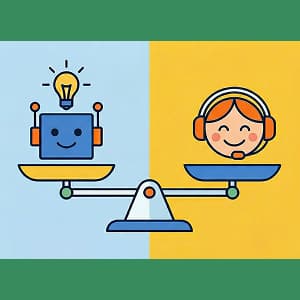
The companies getting this right are the ones that see real results. Organizations that successfully blend AI efficiency with human expertise report meaningful improvements in first-contact resolution, customer satisfaction, and operational efficiency. One case study from Netfor showed that a global retailer improved its first-call resolution rate from roughly 64% to 82% in six months using a hybrid model. The takeaway here is that your chatbot and your human team aren’t in competition, they’re two sides of the same coin.
Measure What Actually Matters
It’s tempting to measure chatbot success by how many tickets it deflects, but you need to resist that temptation. Deflection is an operational metric, not a customer experience metric, and optimizing for deflection alone is exactly how companies end up with bots that frustrate instead of help.
Instead, focus on resolution rate (did the bot actually solve the customer’s problem?), customer satisfaction scores for bot-handled conversations, escalation quality (when the bot hands off, does the human agent have what they need?), and time-to-resolution across the full journey. Track what customers are asking that the bot can’t answer, because those gaps represent both a risk and an opportunity.
AI-backed customer satisfaction measurement is becoming more sophisticated as well. Instead of relying on post-interaction surveys (which tend to capture only extreme experiences), newer tools analyze every conversation for signals like sentiment shifts, repeated questions, and resolution indicators. This gives you a much more accurate and actionable picture of how your bot is performing. The most important question isn’t “how many conversations did the bot handle?” It’s “how many customers left the conversation satisfied?”
Frequently Asked Questions
Zendesk is a customer service software company that provides a suite of support tools including help desk ticketing, live chat, knowledge base management, and AI-powered chatbot capabilities. It’s one of the most widely used platforms for managing customer support operations.
Intercom is a customer messaging platform that combines live chat, chatbots, and a help center into a single tool. It’s popular among SaaS companies and startups for its conversational approach to customer engagement and support.
Chatbase is an AI chatbot platform that lets businesses build custom chatbots trained on their own data, including website content, documents, and help articles. It offers tools for controlling the bot’s personality and tone, built-in analytics for tracking performance, and seamless human hand-off when conversations need to be escalated.
Retrieval-augmented generation is a technique where an AI model pulls information from a specific set of documents or data sources before generating a response. Instead of relying solely on its training data, the model retrieves relevant content from your knowledge base, help articles, or product documentation to produce more accurate, grounded answers.
First-contact resolution measures the percentage of customer issues that get fully resolved during the first interaction, without requiring a follow-up or transfer. It’s one of the most important indicators of support quality because it directly correlates with customer satisfaction.
Natural language processing is a branch of artificial intelligence focused on enabling computers to understand, interpret, and generate human language. In the context of chatbots, NLP is what allows a bot to understand a customer’s question even when it’s phrased in an unexpected or conversational way.
The hybrid model refers to a support strategy where AI chatbots handle routine, high-volume inquiries while human agents focus on complex, sensitive, or high-value interactions. The goal is to combine the efficiency of automation with the empathy and judgment of human support.
Other AI Training Modules You May Be Interested In
How to Fact-Check and Edit AI-Generated Marketing Content Before It Goes Live
Using AI to Write Product Descriptions That Actually Sell
Using AI to Write Better Creative Briefs
Using AI to Align Marketing and Sales With Smarter Lead Scoring
