Quick Definition
AI-assisted post-webinar workflow - A structured process that uses artificial intelligence to score, segment, and follow up with webinar registrants based on their engagement behavior and ICP fit, replacing manual or generic nurture sequences with personalized, data-driven outreach.
AI Summary
This article outlines a five-step AI-powered framework for converting webinar registrants into B2B pipeline. It covers pre-event ICP scoring, post-event engagement segmentation, topic-based follow-up personalization, content repurposing from recordings, and sales briefing using AI-generated contact summaries. The framework is designed for experienced B2B marketers who want a practical, scalable system rather than generic post-webinar advice.
Key Takeaways
- Score before the event, not after. Running AI-assisted ICP scoring on your registrant list before the webinar gives sales a prioritized call list the moment the session ends - not days later.
- Engagement tier segmentation beats attendance tracking. Time on-call, questions asked, and content clicks tell you far more about buyer intent than a simple attended/didn't attend split.
- One webinar can generate months of pipeline. AI transcription and repurposing tools turn a single session into blog posts, gated assets, social content, and paid retargeting material - each one a new entry point for leads.
Most webinar leads go cold within 48 hours. Here’s how to stop that.
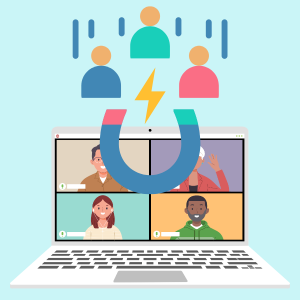 Webinars are one of the best signals of buyer intent you’ll ever get in marketing. Someone cleared their calendar, showed up live, and sat through your content. That’s not passive interest – that’s a raised hand.
And yet, most marketing teams follow up with the same generic “thanks for attending” email to everyone, wait three days, and wonder why pipeline numbers don’t move.
The problem isn’t the webinar. It’s the workflow after it. AI can fix that – but only if you build the right framework around it.
Why Does Post-Webinar Follow-Up Fail So Often?
The gap between a strong webinar and strong pipeline usually comes down to three things:
- Speed – follow-up happens too slowly
- Relevance – every attendee gets the same message
- Prioritization – sales doesn’t know who to call first
Generic nurture sequences don’t cut it anymore. B2B buyers expect follow-up that reflects what they actually engaged with. AI makes that possible at scale.
Step 1: Score Your Registrants Before the Event Happens
Most teams treat pre-event scoring as an afterthought. Don’t.
Before your webinar goes live, run your registrant list through an AI-assisted ICP scoring model. Feed it firmographic data (company size, industry, revenue), technographic signals, and behavioral data from your CRM or MAP. What you get back is a tiered list – high-fit, mid-fit, and low-fit accounts – before a single session slide is shown.
This does two things. First, it tells your SDR team exactly who to prioritize for outreach after the event. Second, it helps you personalize the pre-event experience for high-value registrants – a direct calendar invite from an AE, a personalized pre-read, or a VIP Q&A slot.
You’re not waiting for intent signals. You’re already acting on fit.
Step 2: Segment Attendees by Engagement Level, Not Just Attendance
Attended vs. didn’t attend is the laziest segmentation you can do.
Your webinar platform already tracks deeper signals: time on-call, questions asked, poll responses, chat activity, and which moments triggered drop-off. AI tools can take that raw data and build engagement tiers automatically.
A practical three-tier model looks like this:
- Tier 1 – High Engagement: Attended 75%+ of the session, asked a question, clicked a CTA. These contacts get a fast-follow personalized email within two hours.
- Tier 2 – Partial Engagement: Attended under 30 minutes or dropped off early. These contacts get a shorter recap with a link to the full recording and a specific content asset tied to the section they watched.
- Tier 3 – Registered, Didn’t Attend: These aren’t dead leads. They showed intent by registering. Send them the on-demand recording with a strong subject line that addresses why they missed it.
AI tools like Clay, Salesloft, or HubSpot’s AI features can automate this segmentation and trigger the right sequence without your team manually sorting a spreadsheet.
Step 3: Generate Personalized Follow-Up Sequences Based on Topic Resonance
Here’s where most teams leave serious pipeline on the table.
If your webinar covered three distinct topics – say, lead scoring, content syndication, and intent data – different attendees resonated with different sections. A one-size email doesn’t reflect that.
Use AI to map attendee behavior (poll responses, Q&A topics, time spent on specific segments) to the content themes they engaged with most. Then generate follow-up sequences that lead with those themes.
A contact who asked a question about intent data should receive a follow-up that opens with intent data resources, not a generic recap. That level of personalization used to require hours of manual work. AI collapses that to minutes.
At Knowledge Hub Media, our content syndication and lead generation programs are built around this kind of intent-matched distribution – so if you’re looking to amplify your follow-up assets to the right audience at scale, that’s exactly what we do.
Step 4: Repurpose the Recording Into a Lead Capture Machine
Your webinar recording shouldn’t sit on a thank-you page and collect dust.
AI transcription and summarization tools (Otter.ai, Fireflies, or even native features inside Riverside or Zoom) can turn a 45-minute recording into:
- A long-form blog post targeting the core keyword themes
- A short-form article series (three to five posts from one session)
- A LinkedIn carousel or post series
- A downloadable summary guide gated behind a form
- Short video clips for paid social retargeting
Each of those assets becomes a new entry point for pipeline. Prospects who missed the live event can find you through search or social, engage with the content, and enter your nurture track. You ran the webinar once. The content works for months.
Step 5: Close the Loop With Sales Before They Forget
Even the best AI workflow falls apart if sales doesn’t know what to do with it.
After your post-event sequences trigger, push a summary to your CRM that includes each contact’s engagement tier, the topics they engaged with, and a suggested first call talking point. Tools like Gong, Salesforce Einstein, or HubSpot’s AI summaries can surface this automatically.
Your SDRs shouldn’t be spending time researching what the prospect watched. The system should hand them that context so their first call feels like a continuation of a conversation, not a cold start.
That’s the difference between a webinar that generates a list and a webinar that generates pipeline.
The Framework in One Sentence
Score before the event, segment by behavior after it, personalize by topic, repurpose relentlessly, and brief sales with context – not just contacts.
If you’re running webinars and not doing this, you’re leaving your best leads on the table.
Want to put this into practice? Knowledge Hub Media helps B2B marketers build high-intent lead programs around content and webinars. Talk to our team about how we can support your next campaign.
Frequently Asked Questions
What AI tools work best for post-webinar lead segmentation?
Tools like Clay, HubSpot's AI features, and Salesloft can pull engagement data from your webinar platform and automatically tier contacts. Your CRM and MAP integration matters more than the specific tool - the workflow is the priority.
How quickly should follow-up go out after a webinar?
High-engagement Tier 1 contacts should receive a personalized follow-up within two hours of the session ending. Speed matters most at the top of the engagement tier - the intent signal is hottest immediately after the event.
Do registrants who didn't attend still have pipeline value?
Yes. Registration itself is an intent signal. On-demand viewing rates for webinar recordings often run 30-40% of the original registrant count. A well-crafted "you missed it" sequence with a strong hook can re-engage a significant portion of no-shows.
How does this framework connect to content syndication?
The repurposed assets - blog posts, summary guides, short-form articles - are ideal for content syndication programs. Distributing those assets through a network like Knowledge Hub Media puts your webinar content in front of net-new, in-market audiences who never registered for the original event.
