
Your landing page is often the first real impression a potential customer has of your brand, and it’s also where a huge chunk of your marketing budget either pays off or goes to waste. AI-powered landing page optimization is the practice of using artificial intelligence and machine learning to analyze how visitors actually interact with your pages, from where they click and how far they scroll to where they lose interest and leave, and then using those insights to make data-driven improvements to layout, copy, and calls to action. Instead of relying on gut feelings or static best practices, AI turns your landing page into a living, learning system that continuously adapts to real user behavior.
In this article, we’ll discuss how AI tools analyze heatmaps, scroll depth, and conversion data to surface actionable recommendations for your landing pages. We’ll walk through the specific types of behavioral data AI can interpret, explore the tools that are leading the space, look at real-world examples of brands that have used AI-driven optimization to dramatically improve their conversion rates, and cover the practical steps you can take to start implementing these strategies on your own pages.
TL;DR Snapshot
AI-powered landing page optimization uses machine learning to analyze real visitor behavior, including clicks, scroll patterns, and conversion paths, and translate that data into specific, actionable changes to page layout, copy, and CTAs. Rather than guessing what works, marketers can now let AI identify friction points, test variations at scale, and even route individual visitors to the page version most likely to convert them.
Key takeaways include…
- AI heatmap and scroll-tracking tools can reveal invisible friction points on your landing pages, such as CTAs that visitors never see, “false bottoms” that make users think the page has ended, and form fields that cause drop-offs, allowing you to fix problems you didn’t know existed.
- Machine learning can run and interpret tests far faster than manual A/B testing by analyzing visitor attributes like device type, location, and browsing behavior in real time, then automatically routing each visitor to the highest-converting page variant.
- AI-driven personalization on landing pages can increase conversion rates by up to 40%, while personalized CTAs can convert up to 202% better than generic ones.
Who should read this: Marketers, CRO specialists, PPC managers, entrepreneurs, and anyone spending money on paid traffic and wanting more conversions from their landing pages.
What AI Actually Sees on Your Landing Page (That You Don’t)
Most marketers look at landing page performance through the lens of a single number: the conversion rate. But that metric only tells you what happened, not why it happened. AI-powered behavioral analytics tools dig into the why by capturing and interpreting three critical layers of visitor data.
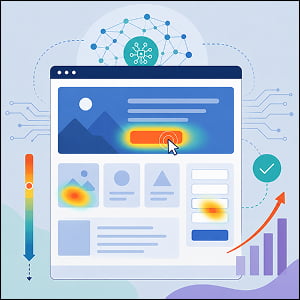
The first is click data. AI-powered heatmap tools like Hotjar (now part of Contentsquare), Crazy Egg, and heatmap.com visualize exactly where visitors are clicking on your page. But modern AI doesn’t just show you colorful blobs, it identifies “problem clicks,” which are clusters of clicks on elements that aren’t actually interactive, signaling that visitors expect a button, link, or feature that doesn’t exist. It also flags when visitors are clicking on secondary elements instead of your primary CTA, which could indicate that your page hierarchy isn’t guiding attention where it needs to go.
The second layer is scroll depth. Scroll maps reveal how far down the page your visitors actually get. This matters because if 70% of your visitors never scroll past the first third of your page, anything below that point, including testimonials, pricing details, or your sign-up form, is essentially invisible. AI takes this further by detecting “false bottoms,” which are areas on a page where visual design elements like large images, section breaks, or white space give visitors the impression that the page has ended when there’s actually more content below. Contentsquare’s scroll tracking documentation highlights how their tools can identify these deceptive zones and help teams reposition essential content where it actually gets seen.
The third layer is conversion path analysis. AI doesn’t just track isolated interactions, it maps the entire journey a visitor takes on your page, from first scroll to final click (or final exit). Tools like heatmap.com go a step further by tying individual user actions directly to revenue, down to the pixel level. This means you can see not just which elements get attention, but which specific interactions actually lead to purchases.
The power of combining these three layers is what separates AI-driven optimization from traditional analytics. Unbounce’s Conversion Benchmark Report, which analyzed 57 million conversions across more than 41,000 landing pages found a median conversion rate of just 6.6% across all industries. That means the vast majority of landing pages are leaving enormous value on the table, and AI behavioral analysis is designed to help you find exactly where that value is leaking.
How AI Turns Behavioral Data Into Better Pages
Understanding where visitors click and scroll is valuable, but the real breakthrough comes when AI moves from observation to action. There are three primary ways AI is being used to actively improve landing page performance today.
Predictive attention analysis lets you test your page design before a single real visitor ever sees it. Attention Insight uses a predictive eye-tracking model trained on large-scale eye-tracking datasets to generate AI-powered attention heatmaps of static designs. In one notable case, Latin American video streaming aggregator Filmelier used Attention Insight to analyze their mobile landing page and discovered that their primary CTA button was receiving 0% of predicted user attention on mobile devices, despite generating the majority of clicks on desktop. After redesigning the button, increasing its size and adding descriptive text, the predicted attention on the CTA jumped to 3.8%, and the result was a 258% increase in CTA button clicks. This kind of pre-launch testing means you can catch major design flaws before you spend a dollar on traffic.
AI-powered traffic routing takes a fundamentally different approach to A/B testing. Traditional A/B tests split traffic evenly between variants and wait for statistical significance, which can take weeks or months if you don’t have massive traffic volume. Unbounce’s Smart Traffic feature uses machine learning to analyze visitor attributes, including device type, location, time of day, and browsing behavior, and automatically routes each visitor to the page variant where they’re most likely to convert. Rather than choosing a single “winner” for all visitors, it acknowledges that different people respond to different pages. According to Unbounce, Smart Traffic delivers an average 30% lift in conversions compared to traditional A/B testing, and it begins optimizing after as few as 50 visits. Entertainment company World of Wonder used these AI optimization tools to improve conversion rates on their RuPaul’s Drag Race landing pages by nearly 20%, pushing their streaming service conversion rate to 29.7%, according to an Unbounce case study.
Dynamic personalization at scale is the third major application. AI can adapt landing page content in real time based on who’s visiting. ACT Fibernet, one of India’s largest broadband providers, used AI-powered personalization through Fibr to create landing pages that matched the specific intent behind each visitor’s search query. Visitors searching for streaming-focused broadband plans saw landing pages highlighting Netflix and OTT features, while those searching for gaming broadband saw gaming-specific messaging. According to a Fibr case study, this approach delivered a 25% increase in customer acquisitions, a 12% lift in overall conversion rates, and a 6% improvement in CTA conversions from A/B testing alone.
Building Your AI Landing Page Optimization Workflow
Getting started with AI-driven landing page optimization doesn’t require overhauling your entire tech stack overnight. Here’s a practical framework for building a continuous optimization workflow…
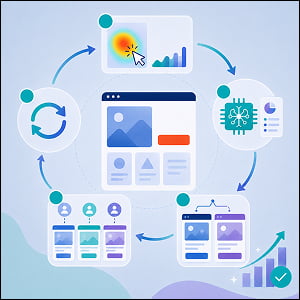
Step 1: Instrument your pages for behavioral tracking: Before AI can help you, it needs data. Install a behavioral analytics tool that captures click, scroll, and session data. Free options like Microsoft Clarity offer heatmaps and session recordings at no cost, making them a strong starting point. Paid tools like Hotjar, Crazy Egg, or Landingi’s EventTracker provide more advanced features like AI-generated insights, segmentation, and integration with A/B testing platforms. The key is to start collecting data on your highest-traffic and highest-spend landing pages first.
Step 2: Use AI to diagnose, not just describe: Once you have behavioral data flowing, look for tools that go beyond visualization and into interpretation. Heatmap.com, for example, doesn’t just show you where visitors click. It attributes revenue to specific page elements, so you can see which interactions drive actual sales. Hotjar‘s AI-powered analysis can automatically summarize session recordings and highlight key friction moments. The goal at this stage isn’t to generate a list of every possible change, it’s to identify the two or three highest-impact friction points that are costing you the most conversions.
Step 3: Test variations with AI assistance: Once you’ve identified your biggest friction points, create page variants that address them. This is where tools like Unbounce’s Smart Traffic or Leadpages‘ AI optimization features shine. Instead of manually running sequential A/B tests, you can create multiple variants and let AI allocate traffic to the best performers in real time. A study by Digital Applied that A/B tested 2,000 landing pages found that AI-generated copy performed well for B2B SaaS and lead-gen forms, lifting conversions by 3-4%, but under-performed on direct-to-consumer and webinar pages when it contained detectable AI patterns like overuse of generic adjectives and certain punctuation habits. The takeaway here is to use AI to draft and test, but apply human editorial judgment, especially for consumer-facing copy.
Step 4: Personalize based on visitor segments: As your optimization matures, move beyond testing static variants and into dynamic personalization. Use AI to serve different headlines, images, or offers based on traffic source, device type, geographic location, or visitor behavior. According to Genesys Growth’s analysis of landing page statistics, even simple personalization tactics like dynamic headlines can deliver 20-30% conversion improvements with minimal investment.
Step 5: Build a continuous feedback loop: Set up a regular cadence (weekly or bi-weekly) to review behavioral data, assess test results, and launch new iterations. Combine quantitative data from heatmaps and conversion metrics with qualitative data from on-page surveys that ask visitors directly about their experience. This combination of AI-driven analysis and human feedback creates a compounding optimization effect over time.
One important caveat is that you shouldn’t let AI optimization become a substitute for getting your fundamentals right. For example, page load speed remains critical. According to Genesys Growth’s statistics roundup, each additional second of load time costs approximately 7% in conversions, so don’t prioritize AI optimization over fast loading. User experience, mobile responsiveness, clear value propositions, and strong social proof still form the foundation of good landing page design. Once you’ve established a strong base, use AI optimization to build upon it.
Frequently Asked Questions
A heatmap is a visual representation of data that uses color coding to show how visitors interact with a web page. “Hot” areas (typically shown in red or orange) indicate high activity, such as frequent clicks or concentrated attention, while “cold” areas (shown in blue) indicate low interaction. There are several types of heatmaps: click heatmaps show where visitors click, scroll heatmaps show how far down the page visitors scroll, and move heatmaps track mouse movement patterns. AI-enhanced heatmaps go further by automatically detecting patterns, anomalies, and opportunities in this data.
Scroll depth measures how far down a web page a visitor scrolls before leaving or taking action. It’s typically expressed as a percentage of the total page length. For landing page optimization, scroll depth is important because it reveals whether visitors are actually seeing your key content, CTAs, and trust signals. If most visitors only scroll through 40% of your page, any critical content placed below that point is being missed by the majority of your audience.
A CTA is the element on a landing page, usually a button or link, that prompts visitors to take a specific action, such as “Sign Up,” “Get Started,” “Download Now,” or “Buy Now.” CTAs are the primary conversion mechanism on most landing pages, and their placement, design, copy, and visibility have a significant impact on conversion rates.
Conversion rate optimization is the systematic process of increasing the percentage of website visitors who take a desired action on a page. Rather than driving more traffic to a page, CRO focuses on getting more value from the traffic you already have. AI-powered CRO tools automate much of this process by using machine learning to identify friction points, generate and test page variations, and personalize experiences based on visitor behavior.
A false bottom is a point on a web page where the visual design makes it appear as though the page has ended, even though more content exists below. This can be caused by large images, wide section breaks, color changes, or excessive white space that give visitors the impression there’s nothing more to see. False bottoms are a common cause of low scroll depth and can result in visitors missing critical content like CTAs, testimonials, or pricing information.
Other AI Training Modules You May Be Interested In
Using AI for PR Outreach and Earned Media Strategy
The Right Way to Build an AI Governance Policy for Your Marketing Team
The Right Way to Use AI for Topic Clustering and Search Authority
Using AI to Build Quizzes, Calculators, and Interactive Lead-Gen Tools That Actually Convert
