A dynamic knowledge base is a centralized, AI-powered repository that collects, organizes, and surfaces your marketing team’s collective intelligence, including brand guidelines, campaign playbooks, audience research, performance benchmarks, competitive intel, and institutional know-how. Unlike a static wiki or a shared drive full of aging Google Docs, a dynamic knowledge base uses artificial intelligence to keep itself current, fill gaps proactively, and serve up exactly the right information to the right person at the right time. It’s the difference between a filing cabinet and a living, breathing brain for your marketing operation.
In this article, we’ll discuss why most marketing teams are drowning in scattered, outdated information and how that fragmentation silently kills productivity. We’ll walk through the core capabilities that make an AI-powered knowledge base “dynamic” rather than just another document graveyard. We’ll explore the practical steps for building one, the tools that can help, and the habits your team needs to adopt to keep it healthy over time. Whether you’re a solo marketer wearing ten hats or a marketing director managing a team of twenty, this guide will help you turn scattered knowledge into a reliable, self-maintaining competitive advantage.
TL;DR Snapshot
Marketing teams generate an enormous volume of knowledge every day, from campaign performance data and audience insights to brand messaging frameworks and vendor contracts. But all of this information tends to get trapped in email threads, personal folders, Slack messages, and the heads of individual team members. An AI-powered dynamic knowledge base solves this by centralizing information and using artificial intelligence to tag, organize, update, and retrieve it automatically, so your team spends less time hunting and more time executing.
Key takeaways include…
- Marketing teams lose hours each week to searching for information that already exists within their organization. AI-powered knowledge bases reduce that friction by surfacing relevant answers through natural language search and intelligent tagging.
- A dynamic knowledge base isn’t a “set it and forget it” tool. AI can flag outdated content, suggest updates, and identify gaps, but your team still needs to assign ownership and build review habits to keep the system trustworthy.
- You don’t need enterprise-level budgets or months of setup to get started. Modern tools like Guru, Notion AI, Confluence with Atlassian’s Rovo AI, and even well-structured ChatGPT or Claude workflows can help small teams build a functional knowledge base quickly.
Who should read this: Marketing managers, content strategists, marketing ops professionals, solopreneurs, and anyone tired of answering the same internal question for the fifth time.
The Hidden Cost of Scattered Marketing Knowledge
Here’s a stat that should bother every marketing leader. According to a McKinsey report, employees spend an average of 1.8 hours every day, or roughly 9.3 hours per week just searching for and gathering information. For a marketing team of ten, that’s the equivalent of paying someone a full-time salary just to look for things.
Marketing teams are especially vulnerable to this problem because the nature of their work generates knowledge across so many different formats, tools, and people. Your SEO strategist has keyword research in one spreadsheet. Your content writer has brand voice notes in a Word doc. Your paid media manager has audience targeting insights buried in platform dashboards. Your social media lead has competitive intel scattered across multiple Slack threads. None of these people are doing anything wrong, they’re just working inside a system that isn’t designed to connect the dots.
This fragmentation has real consequences though. As Bloomfire notes in its guide to knowledge silos, when information is trapped teams develop their own versions of key insights, reinforcing silos and making it harder to coordinate around shared goals. Marketing doesn’t see the nuanced customer feedback that support is hearing. Sales doesn’t know about the latest campaign messaging. The content team doesn’t realize the product team just changed an important feature description.
The result, as Forrester has found, is that while 74% of firms say they want to be “data-driven,” only 29% are actually good at marrying analytics to action. The gap between having the right information and using it effectively is where most marketing teams lose their edge.
What Makes a Knowledge Base “Dynamic” (and Why Static Ones Fail)
Most marketing teams have tried some version of knowledge management before. Maybe it was a shared drive with folders organized by quarter. Maybe it was a Confluence space that someone set up enthusiastically in Q1 and nobody touched by Q3. Maybe it was just a pinned Slack message with links to “important files.”
These static approaches fail for a predictable set of reasons: Nobody maintains them. Documents go stale. The organizational structure that made sense to the person who created it doesn’t make sense to anyone else, and searching for something specific becomes an exercise in frustration.
A dynamic knowledge base is different because AI handles the parts that humans are bad at (i.e. consistent organization, proactive maintenance, and fast retrieval). Here are the core capabilities that separate a dynamic system from a digital junk drawer…
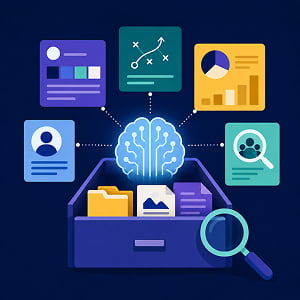
Intelligent search and retrieval: Instead of relying on exact keyword matches or remembering which folder something is in, AI-powered knowledge bases use semantic search. This means a team member can ask a natural language question like “What was our CPC on the Q3 LinkedIn campaign targeting enterprise buyers?” and the system retrieves the relevant performance report, even if nobody tagged it with those exact words. Tools like Guru, for example, use AI-powered natural language search that interprets the intent behind queries rather than simply matching keywords.
Automated tagging and organization: When someone adds a new document, brief, or report, AI can automatically categorize it by topic, campaign, funnel stage, channel, or team. This eliminates the “where do I put this?” problem that kills adoption in many static systems and eliminates a lot of the inconsistencies that result from subjective labeling.
Content freshness monitoring: This is one of the most valuable features for marketing teams. AI can flag content that hasn’t been reviewed in a set period, identify documents that reference outdated data or discontinued products, and even suggest which pieces need an update based on changes in related content. Guru’s verification workflow, for instance, assigns each piece of knowledge an owner and an expiration date, nudging owners to re-confirm content before it goes stale.
Gap detection: A well-configured AI knowledge base can analyze what your team searches for and identify patterns in what’s missing. If your team keeps searching for “influencer outreach guidelines” and nothing comes up, the system can flag that gap so someone can fill it.
Contextual delivery: The best dynamic knowledge bases don’t just wait for someone to search, they proactively surface relevant information in the tools your team already uses (e.g. Slack, your browser, or even your project management platform). This is the approach Guru takes, pushing verified answers directly into the workflow instead of requiring people to leave what they’re doing to go search a separate system.
How to Build Your Marketing Team’s Dynamic Knowledge Base
Building a dynamic knowledge base doesn’t require a six-month IT project or a massive software investment. Here’s a practical, phased approach that works for teams of any size…
Phase 1: Audit what you already have. Before you choose any tool, spend a week documenting where your team’s knowledge currently lives. Send a quick survey to your team asking: “When you need to find [brand guidelines / campaign performance data / our ICP documentation / competitive intel], where do you go first?” The answers will reveal your most critical knowledge silos and your team’s biggest pain points.
Phase 2: Choose your platform. Your choice depends on your team size, budget, and existing tech stack. Here are a few strong options to consider…
- Guru is purpose-built for knowledge delivery. Its verification workflows ensure content stays accurate, and its browser extension surfaces knowledge directly in your workflow. It’s especially strong for teams that need a “single source of truth” approach with assigned content owners.
- Notion AI works well for smaller teams that want flexibility. You can build a knowledge base from scratch using databases, and Notion’s AI features help with search, summarization, and content generation.
- Confluence with Rovo AI is a natural fit if your organization already uses Atlassian products. Rovo AI is now included on all paid Confluence plans and offers AI-powered search across 80+ connected apps.
- Slack with AI features can serve as a lightweight knowledge base for very small teams. A commissioned study by Forrester Consulting for Slack found that marketers saved 100 minutes per week and reduced on-boarding time by 50% using Slack’s AI-powered search and organizational features.
Phase 3: Seed the system with your highest-value content. Don’t try to migrate everything at once, start with the knowledge that gets requested most often. For most marketing teams, this means brand guidelines and messaging frameworks, audience and buyer persona documentation, campaign playbooks and SOPs, a glossary of internal terms and acronyms, performance benchmarks and reporting templates, and approved vendor and tool documentation. Prioritize breadth over depth in this phase. It’s better to have a short, accurate entry for twenty high-value topics than a comprehensive guide for three.
Phase 4: Establish ownership and review cycles. This is where most knowledge base initiatives die. Without clear ownership, content decays. Assign a knowledge owner for each category or topic area. Set review cadences (monthly for fast-changing content like campaign data, quarterly for slower-moving content like brand guidelines). Use your tool’s built-in reminders and verification features to automate the nudges.
Phase 5: Train your team to contribute, not just consume. The knowledge base only stays dynamic if people feed it. Build the habit of adding new knowledge as a natural byproduct of work. Finished a campaign retrospective? Add the key findings. Had a productive call with a vendor? Drop in a summary. Solved a tricky problem? Document the solution. The goal is to make contributing as easy as consuming.
Supercharging Your Knowledge Base with RAG and AI Assistants
Once your knowledge base has a solid foundation of content, you can unlock its full potential by connecting it to AI assistants through a technique called Retrieval-Augmented Generation (aka RAG).
RAG is a method that allows AI models to search your knowledge base before generating a response. As IBM explains, RAG gives generative AI models access to external knowledge sources, like your internal documentation, so they can provide more accurate and reliable responses grounded in your actual data rather than generic AI training data.
For marketing teams, RAG-powered setups can be transformative. Instead of searching your knowledge base manually, a team member can simply ask a question in natural language and receive an answer that’s synthesized from your actual brand documents, campaign data, and internal guidelines. For example, a new hire could ask, “What’s our standard approach for launching a product on social media?” and the AI would pull from your social media playbook, your brand voice guidelines, and your most recent product launch retrospective to generate a tailored, context-rich answer.
As Glean notes in their guide to RAG use cases, this approach accelerates content production by automating research. The system can pull from internal documentation, market data, or competitive materials before generating a blog post outline, product description, or executive summary. Writers save time, and the output is both accurate and aligned with current information.
You don’t need a custom-built RAG pipeline to get started though, many of the tools mentioned above are already incorporating this approach. Guru’s AI Knowledge Agents, Confluence’s Rovo AI, and Notion AI all use variations of retrieval-augmented search to connect AI responses to your verified internal content.
For teams that want more control, you can also build a lightweight RAG workflow using tools like Claude or ChatGPT by uploading your key documents and using them as context for queries. It’s not as automated as a dedicated platform, but it’s a fast, low-cost way to test whether this approach delivers value for your team.
Keeping It Alive: The Habits That Separate Useful Knowledge Bases from Digital Graveyards
Building a knowledge base is great and all, but it’s pointless if you don’t maintain it. Here’s what separates the marketing teams that get lasting value from the ones that abandon ship after three months…
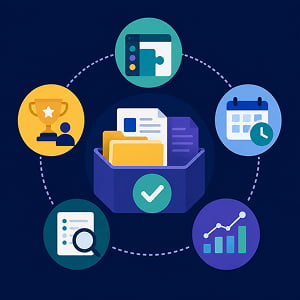
Make it part of existing workflows, not a separate chore: The single biggest predictor of knowledge base adoption is whether it fits into how your team already works. If people have to open a separate app and navigate a complex interface just to add or find something, they won’t do it. Choose tools with integrations that meet people where they are.
Review by rhythm, not by crisis: Don’t wait until someone shares an embarrassing, outdated stat in a client presentation to realize your knowledge base needs to be updated. Build regular review cycles into your existing workflows. Monthly content audits during your team meeting are a good place to start. Schedule quarterly deep dives for things like competitive intel and persona docs. You’ll still want to make use of AI-flagged staleness alerts, but don’t rely on them entirely. Your knowledge base is meant to grow, and evolve, and adapt over time, so factor change into your plans from the get-go.
Celebrate contributions, not just consumption: Most teams measure knowledge base success by search volume or page views, but that’s only half the picture. Track and recognize who’s contributing. Shout out the team member who documented a new process. Make “add it to the knowledge base” a standard part of your retrospective template.
Start small and expand based on usage data: Your AI-powered knowledge base should tell you what people are searching for, what they’re finding, and what they’re not finding. Use that data to prioritize what to add next. If your team searches for “email nurture sequence templates” forty times a month and finds nothing, that’s your next priority.
Don’t aim for perfection. Aim for trust: Your team won’t use a knowledge base they don’t trust. It’s better to have a smaller collection of accurate, up-to-date entries than a massive library where nobody’s sure what’s current. When in doubt, delete or archive rather than let outdated content linger.
Frequently Asked Questions
A knowledge base is a centralized collection of information that a team or organization uses to store, organize, and share knowledge. In a marketing context, this can include brand guidelines, campaign playbooks, audience research, performance reports, vendor documentation, and SOPs. An AI-powered knowledge base adds features like intelligent search, automated tagging, and content freshness monitoring to keep the information accurate and easy to find.
A knowledge silo occurs when information is trapped within a specific team, tool, or individual and isn’t accessible to the broader organization. In marketing teams, silos often form naturally as different specialists (SEO, paid media, content, social) use different tools and workflows. Silos lead to duplicated effort, inconsistent messaging, and missed opportunities to connect insights across functions.
Retrieval-Augmented Generation, or RAG, is an AI technique that allows language models to search external knowledge sources (like your company’s internal documents) before generating a response. This means the AI doesn’t rely solely on its training data, it references your actual content to produce more accurate, context-aware answers. IBM, Google, and NVIDIA have all published extensively on RAG as a foundational approach for enterprise AI.
Semantic search is a type of search technology that understands the meaning and intent behind a query rather than just matching keywords. For example, if you search for “how did our holiday campaign perform last year,” a semantic search engine understands you’re looking for performance metrics from a seasonal campaign, even if no document is tagged with those exact words. This is a core capability that makes AI-powered knowledge bases significantly more useful than traditional file search.
Forrester is a research and advisory firm that provides insights on technology, marketing, and business strategy to enterprise leaders. Their research is frequently cited in marketing and CX contexts. Their finding that only 29% of firms are good at connecting analytics to action, despite 74% wanting to be “data-driven,” has become a widely referenced benchmark in knowledge management discussions.
Guru is an AI-powered knowledge management platform that focuses on knowledge delivery rather than just storage. Its standout feature is a verification workflow that assigns each piece of content an owner and an expiration date, ensuring information stays accurate. Guru surfaces knowledge directly in tools like Slack and web browsers through integrations and extensions.
Notion is an all-in-one workspace for notes, documents, databases, and project management. Notion AI is a built-in artificial intelligence layer that adds features like semantic search, content summarization, and AI-assisted writing directly within your Notion workspace. It’s popular among smaller teams for its flexibility and ease of customization.
Confluence is a team workspace and wiki platform made by Atlassian, the same company behind Jira and Trello. It’s widely used for documentation in technical and product teams. As of the writing of this article, Confluence includes Rovo AI across all paid plans, adding AI-powered search, 20+ pre-built AI agents, and connectors for over 80 popular apps.
Slack is a workplace messaging and collaboration platform owned by Salesforce. Teams use it for real-time communication through channels, direct messages, and integrations with other business tools. Slack’s AI features include intelligent search, automated conversation summaries, and channel recaps.
Other AI Training Modules You May Be Interested In
The Right Way to Use AI for Pricing and Revenue Strategy
Using AI to Automate Reporting and Stakeholder Updates
Using AI for Sales Enablement: Battlecards, Onboarding, and Messaging Consistency at Scale
Using AI to Build and Manage Thriving Brand Communities
Using AI to Design Smarter Customer Loyalty and Retention Programs
