

Data visualization and infographic creation is the process of transforming raw numbers, research findings, and complex information into visual formats like charts, graphs, diagrams, and illustrated layouts that audiences can absorb at a glance. In content marketing, these visuals serve as powerful storytelling tools that help brands communicate their expertise, simplify complicated topics, and give readers a reason to engage, share, and link back to the original content. With the rise of AI-powered design platforms, marketers no longer need a graphic design background or a dedicated creative team to produce professional-quality visuals. Today’s AI tools can analyze a dataset, recommend the best chart type, generate a polished layout, and apply brand styling in minutes rather than hours.
In this article we’ll discuss why data visualizations and infographics deserve a prominent spot in your content strategy, how AI is changing the way marketers create them, which tools are worth exploring, and how to avoid the most common mistakes that undermine visual content. Whether you’re building infographics to support blog posts, creating charts for social media, or designing data-rich visuals for lead generation, you’ll walk away with a practical framework for doing it the right way.
TL;DR Snapshot
Data visualizations and infographics turn dense information into scannable, shareable content assets that boost engagement, earn backlinks, and help audiences retain your message. AI tools have dramatically lowered the barrier to creating these visuals, cutting production time from hours to minutes while maintaining (and sometimes even improving) design quality.
Key takeaways include…
- AI-powered design platforms like Canva, Venngage, Piktochart, Visme, and Infogram allow marketers to generate professional infographics from text prompts or raw data without needing design skills.
- Visual content consistently outperforms text-only content in engagement, shareability, and information retention, but AI-generated visuals still require human oversight for data accuracy, brand consistency, and narrative clarity.
- The biggest mistakes marketers make with AI-generated infographics are overcrowding the design with too much information, skipping data verification, and publishing generic visuals that don’t align with their brand identity.
Who should read this: Content marketers, brand managers, solopreneurs, and marketing team leads looking to scale their visual content production with AI.
Why Data Visualizations and Infographics Still Matter in Content Marketing
It’s tempting to think of infographics as a trend that peaked years ago, but the data tells a different story. According to the Content Marketing Institute, charts and data visualizations are the single most-used visual content type among B2B marketers, utilized by roughly 52.2% of respondents. That’s ahead of stock photos, presentations, videos, and original graphics.
The reason for this is simple, visuals help people understand and remember information better. An analysis from WebFX found that charts can enhance understanding by 80% within B2B content, and organizations using data visualization are 28% more likely to find useful insights compared to those without systematic visualization practices. Meanwhile, DemandSage’s infographic statistics report highlights that content containing infographics produces 178% more inbound links than those without, and content with graphics sees up to 650% higher engagement than text-only posts.
For content marketers, these numbers point to a clear opportunity. Infographics and data visualizations aren’t just decorative additions to your blog posts or social feed, they’re functional assets that drive measurable results. That said, the value has never really been in question, the challenge has always been in the production. Creating a quality infographic used to require a skilled designer, a clear brief, multiple revision cycles, and significant investments in time and money. That’s where AI comes in.
How AI Is Changing the Infographic Creation Process
The traditional infographic workflow was slow and resource-intensive. A marketer would gather data, write a brief, hand it to a designer, wait for drafts, request revisions, and eventually publish something that might already feel stale by the time it went live. AI-powered tools have compressed this process dramatically.
According to Amra and Elma’s infographic marketing statistics analysis, AI-assisted infographic creation tools are now used by 61% of brands that produce infographics, and these tools have reduced average production time from about 14 hours per piece to 2.3 hours. That’s a fundamental shift in what’s possible for lean marketing teams.
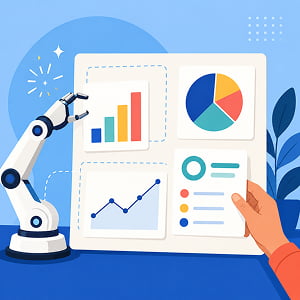
Here’s what AI handles well in the infographic workflow…
Recommending chart types and layouts: Tools like Infogram and Visme can analyze a dataset and suggest the most appropriate visualization format, whether that’s a bar chart, a pie chart, a timeline, or a flow diagram. As Infogram’s trends report notes, AI can now detect patterns and highlight anomalies automatically, letting teams focus on interpreting insights rather than formatting visuals.
Generating designs from text prompts: Platforms like Piktochart and Canva now let users describe what they want in plain language and receive a structured infographic in minutes. Venngage’s review of AI infographic generators highlights that Piktochart’s AI infographic generator can convert text prompts to detailed infographics, and its integration with Google Sheets helps users update designs based on real-time data.
Applying brand consistency: Several platforms offer Brand Kit features that automatically apply your colors, logos, and typography across every visual you create. Infogram specifically highlights this as a way to ensure that visual storytelling aligns seamlessly with established brand guidelines, which is critical when multiple team members are producing content.
Adding interactivity: AI tools are also making it easier to create interactive infographics with hover effects, animated data points, and scroll-triggered visuals. These interactive elements can improve engagement and time-on-page, though they require more intentional planning than static designs.
The net effect is that marketers who previously couldn’t justify the time or budget for visual content now have access to tools that make it feasible. But speed and accessibility come with risks, which is why knowing how to choose the right tool and avoid the common pitfalls matters just as much as (if not more than) actually using the tools.
Choosing the Right AI Tool for Your Visual Content Needs
Not every AI design tool is built for the same use case. The landscape in 2026 includes platforms that range from general-purpose design apps to specialized data visualization engines. Choosing the right one depends on what you’re trying to create, how data-heavy your content is, and how much design control you need.
For marketers who need speed and simplicity for everyday visuals, Canva remains the most widely adopted platform. As Venngage’s infographic tools comparison notes, Canva is built for efficiency, with a massive template library and a very approachable editor. It works well for simple infographics, social media graphics, and internal documents. The trade-off is that its data visualization capabilities are more limited. When infographic needs become more complex, especially with structured data or strict brand guidelines, Canva’s depth of customization starts to feel confined.
For data-heavy infographics, tools like Infogram and Visme are stronger choices. Infogram specializes in charts and interactive data visualizations, and its AI chart generator recommends the best visual format for your data. Visme, as noted in Synergy Codes’ AI visualization tools guide, merges visualization with AI and is a strong alternative to business intelligence tools for creative professionals, helping users make presentations, infographics, and reports with AI-driven design suggestions.
Piktochart occupies a middle ground that’s particularly useful for marketers. According to Agility PR Solutions’ review, Piktochart combines AI-assisted creation with structured data visualization, making it easier for non-designers to turn complex information into clear, usable visuals. Its block-based editing approach lets you modify individual sections without affecting the rest of the design, which reduces the risk of accidentally breaking a layout while making revisions.
Venngage is another platform worth considering, particularly for teams that need professional templates for business reporting, HR communications, and branded content. Its on-boarding process tailors template recommendations to your specific use case, which can save time during the initial setup.
The key question when evaluating any of these tools isn’t which one is best, but rather which one fits the type of visual content you produce most often. A marketer creating weekly social media charts has different needs than one building quarterly data reports or interactive lead-gen infographics.
Avoiding the Most Common Mistakes With AI-Generated Visuals
AI makes it easier to create visuals, but an easier process isn’t necessarily a better process. The speed of AI-generated design can actually introduce some pretty glaring problems if marketers don’t apply the same editorial rigor they’d use with human-made content.

Overcrowding the design: One of the most common mistakes, as outlined by Marketing Scoop, is cramming too much information into a single infographic. The result is a cluttered, overwhelming design that turns readers off instead of drawing them in. AI tools will happily include every data point you feed them, but it’s your job to be selective. Before generating a visual, ask yourself: what is the single most important takeaway? Cut everything that doesn’t support it.
Skipping data verification: AI can visualize data, but it doesn’t fact-check it. If you feed an AI tool incorrect numbers, outdated statistics, or poorly sourced claims, it will produce a beautiful, shareable graphic that spreads misinformation. As Infographic Ninja’s guide to AI infographic mistakes warns, neglecting data accuracy is a cardinal sin, as inaccuracies can undermine the credibility of the entire piece. Always verify your data sources before generating the visual, and double-check that the AI hasn’t misrepresented any figures in the final design.
Ignoring brand consistency: Generic AI-generated visuals that don’t match your brand’s visual identity can do more harm than good. They make your content look templated and forgettable. If your platform supports a Brand Kit feature, use it. If it doesn’t, create a simple style guide that covers your primary colors, fonts, and logo placement rules, and apply those manually after the AI generates its initial draft.
Mimicking ad aesthetics: Research from the Nielsen Norman Group on banner blindness found that users actively ignore images and graphic elements they suspect of being advertisements, even when those elements contain useful content. Infographics that rely on bright gradients, oversized calls-to-action, or boxed promotional layouts risk falling into the same blind spot. Keep your designs clean and informational rather than promotional.
Neglecting accessibility: Not every member of your audience processes visual information the same way. Ensure your infographics use high color contrast between text and background, include descriptive alt text, and organize information in a logical flow that works for screen readers. Some AI platforms are beginning to build accessibility checks into their workflows, but this is still an area where human review is essential.
The bottom line is that AI should accelerate your visual content production, not replace your editorial judgment. Use AI to handle the design heavy lifting, but always apply human oversight for accuracy, clarity, brand alignment, and accessibility before anything goes live.
Building a Sustainable Visual Content Workflow With AI
Creating a one-off infographic is one thing, building a repeatable system for producing visual content at scale is another. If you want data visualizations and infographics to become a consistent part of your content strategy, you need a workflow that balances AI efficiency with quality control…
- Start by identifying the types of visuals that align with your content calendar: If you’re publishing weekly blog posts, think about which ones would benefit most from a supporting chart, timeline, or comparison graphic. Not every piece of content needs an infographic, but the ones that present original data, explain a complex process, or compare multiple options are natural candidates.
- Next, standardize your inputs: AI tools produce better results when you give them clean, structured data rather than messy spreadsheets or vague prompts. Before you open any design platform, organize your data, write a clear headline, and outline the key points you want the visual to communicate. This preparation step takes a few extra minutes but dramatically improves the quality of what AI generates.
- Follow that up by building a review step into your workflow: Even if your AI tool produces something that looks polished, run it through a quick checklist. Is the data accurate? Does the visual tell a clear story? Does it match your brand guidelines? Is it accessible? Would this make sense to someone seeing it without the accompanying article? This kind of review doesn’t need to take long, but skipping it is how errors and off-brand content slip through the cracks.
- Finally, plan for distribution: Infographics perform well across multiple channels, so think about how you’ll repurpose each visual. A full infographic for your blog can be cropped into individual charts for social media posts, embedded in email newsletters, or included in sales decks and presentations. AI tools like Canva and Visme make it straightforward to resize and reformat a single design for different platforms, which means one investment in visual creation can generate content for several channels.
The brands that get the most value from AI-generated visuals aren’t the ones that produce the most infographics. They’re the ones that produce the right infographics, with accurate data, clear narratives, consistent branding, and a distribution plan that puts each visual in front of the correct audience.
Frequently Asked Questions
Data visualization is the practice of representing information in a visual format, such as charts, graphs, maps, or diagrams. The goal is to make complex data easier to understand, interpret, and act on. In content marketing, data visualization is used to support written content with visual evidence, making arguments more persuasive and content more engaging.
An infographic is a visual content format that combines text, images, icons, charts, and design elements to present information in a compact, easy-to-scan layout. Unlike a standalone chart, an infographic typically tells a narrative or walks the reader through a topic step by step. Marketers use infographics for blog posts, social media, email campaigns, and lead generation.
Inbound links (also called backlinks) are hyperlinks from external websites that point to your content. They’re a key factor in search engine optimization (SEO) because search engines treat them as signals of credibility and authority. Infographics are particularly effective at earning inbound links because other sites often embed or reference them when covering the same topic.
Banner blindness is a phenomenon in which website visitors consciously or unconsciously ignore page elements that resemble advertisements. Research from the Nielsen Norman Group has shown that this behavior extends to any visual content that mimics ad aesthetics, including infographics with overly promotional layouts, bright gradients, or oversized calls-to-action.
The Content Marketing Institute is a media and education organization focused on advancing the practice of content marketing. It publishes annual benchmark reports, including the B2B Content Marketing Trends report, which surveys thousands of marketers to track trends in content strategy, format adoption, and budget allocation.
The Nielsen Norman Group is a user experience research and consulting firm founded by Jakob Nielsen and Don Norman. Their research on topics like banner blindness and user attention patterns is widely cited in marketing and design, and it informs how visual content should be designed to avoid being ignored by audiences.
Other AI Training Modules You May Be Interested In
Using AI to Produce and Repurpose Podcasts
Using AI to Build and Maintain a Dynamic Knowledge Base for Your Marketing Team
The Right Way to Use AI for Pricing and Revenue Strategy
Using AI to Automate Reporting and Stakeholder Updates
Using AI for Sales Enablement: Battlecards, Onboarding, and Messaging Consistency at Scale
